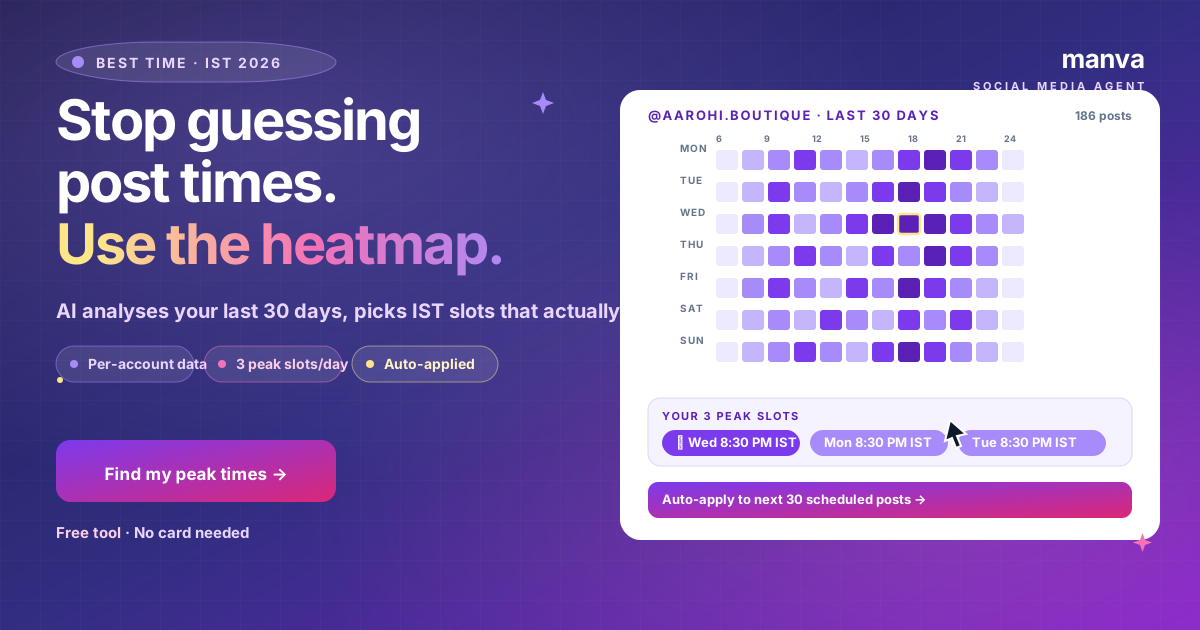
"What's the best time to post on Instagram?" is the wrong question.
The right question: "When is my audience online?" — because every account differs by 1-3 hours from generic India averages.
Manva's heatmap answers it. Free, no card, 5 seconds.
The 2026 IST baselines
If you have less than 14 days of posting data, use these defaults for Indian audiences:
| Slot | IST Time | Why |
|---|---|---|
| Morning rush | 8:00-9:00 AM | Commute scroll |
| Lunch peak | 1:00-2:00 PM | Office break |
| Evening commute | 6:30-8:00 PM | Returning home |
| Pre-sleep scroll | 9:30-11:00 PM | Highest for fashion / entertainment / food |
How Manva personalises this for your account
After 14+ days of posting (or 30+ for sharper data), Manva pulls your Instagram engagement and builds a heatmap. Tools → Best Time to Post → Generate.
You get:
- 7×12 heatmap — engagement intensity per day-of-week × 2-hour block
- 3 peak slots ranked — your best Wed slot, Mon slot, Tue slot (or whatever pattern emerges)
- Auto-apply — one click pushes the peak slots to your next 30 scheduled posts
What "peak" actually means in Manva's data
Peak = the time when your followers are most active, not when you're most likely to get likes. The two are different. Posting when followers are active drives:
- Higher first-hour engagement → algorithm distributes wider
- More saves and comments (active users behave; inactive users only like)
- Faster Story views
Free heatmap, no card needed
Or pair with the Composer for fully-automatic IST scheduling on every post you queue.
Try free for 7 daysCommon mistakes
1. Posting at noon because "everyone says lunch is best"
Generic. For fashion/D2C, Indian noon is often weak; evening 8:30 PM is 2-3x better. Use your own data.
2. Refreshing the peak times every week
Don't. Audience patterns shift slowly. Re-check the heatmap monthly, not weekly.
3. Posting at peak time on Reels but off-peak for Stories
Stories also have peaks — usually 30-60 min earlier than Reels. Manva separates Story and Reel/feed peaks.
4. Ignoring weekends
Saturday afternoon and Sunday evening are often hidden peaks for Indian fashion + lifestyle. Don't skip weekends.
FAQ
Find your peak times in 5 seconds
Free heatmap. Auto-apply to next 30 scheduled posts. From ₹149/mo with 7-day free trial.