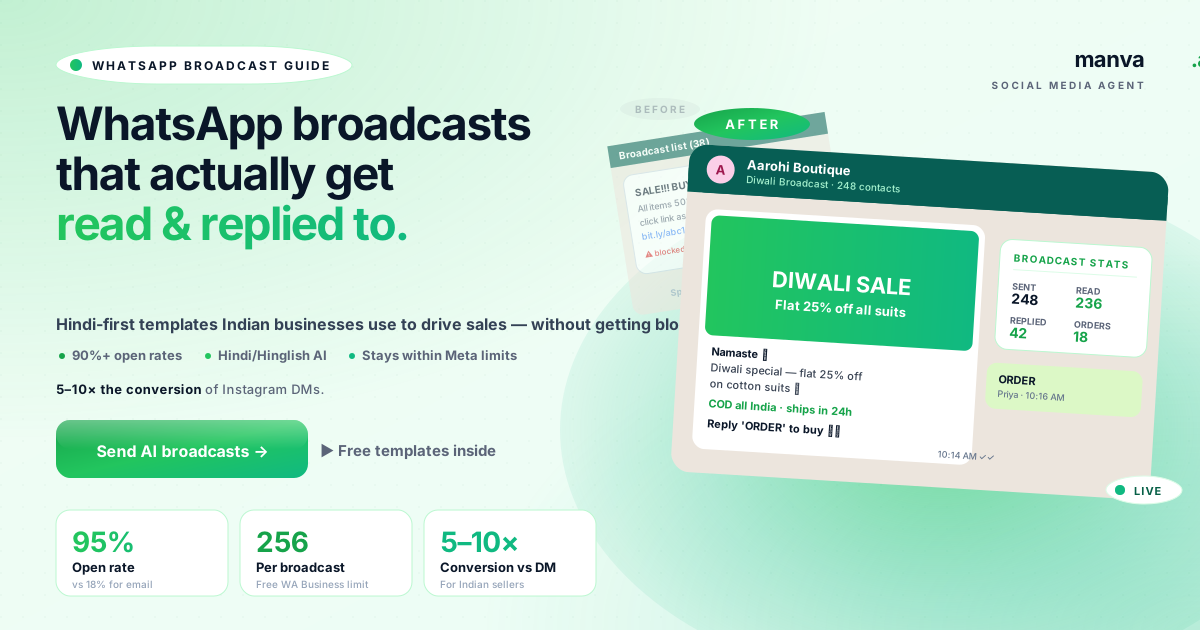
WhatsApp is the single most effective marketing channel for Indian small businesses — 95% open rates vs 18% for email. But it's also the easiest to ruin. One spammy "SALE!!!" broadcast to 200 contacts and you'll have 30 people block you and your account flagged.
This guide covers exactly how to send WhatsApp broadcasts that get read, replied to, and convert — without getting blocked. The templates and rules below work for the WhatsApp Business app and the Business API.
Why WhatsApp broadcasts beat email and SMS in India
| Channel | Open rate | Reply rate | Cost per message |
|---|---|---|---|
| 18% | 1–2% | ~₹0.05 | |
| SMS | 30–50% | 2–3% | ₹0.20–₹0.30 |
| WhatsApp Business app | 90–95% | 15–25% | Free (256 contacts) |
| WhatsApp Business API | 90–95% | 15–25% | ₹0.30–₹0.85 per message |
The reason is simple: WhatsApp is where Indian customers already are, every day, multiple times. A WhatsApp message lands in the same inbox they use for family chats — they will see it within minutes. No other channel comes close.
Your WhatsApp marketing only works if your contact list is built right. Two rules:
- The contact must have your number saved. WhatsApp Business broadcasts only deliver to contacts who saved your number — this is a built-in protection. You cannot broadcast to random numbers.
- The contact must have opted in. Opt-in can be implicit (they messaged you first, placed an order, signed up) or explicit (they ticked a box that said "send me WhatsApp updates").
Where to legitimately collect WhatsApp opt-ins
- At order checkout — "Get order updates on WhatsApp?" with a number field. ~70% opt in.
- After every conversation — when a customer asks a question on WhatsApp, save their number with a tag (Boutique 2026 Customers, etc.)
- Instagram bio link — "WhatsApp 'JOIN' to +91 XXXXX XXXXX for new arrivals"
- Website form — "Get exclusive deals on WhatsApp" checkbox at signup
WhatsApp messages need to be short, personal, and useful. The 4-line structure that works for Indian businesses:
- Personal greeting in Hindi or Hinglish — "Namaste 🙏" or "Hi Priya"
- The actual offer or update — what's new, the price, the deadline
- Trust signal — COD, ships in 24h, 200+ reviews
- Specific next action — "Reply ORDER" or "Click here to buy"
Manva's AI generates this structure automatically when you specify "WhatsApp broadcast" + tone (sale / restock / festival / reminder / new launch). The output is in Hindi, Hinglish or English depending on your audience.
WhatsApp Business app has clear limits. Following them keeps your account healthy:
| Limit | Value |
|---|---|
| Max contacts per broadcast list | 256 |
| Max broadcasts to same contact / week | 2–3 (recommended; not enforced) |
| Best send window (IST) | 10am–12pm and 7pm–9pm |
| Avoid sending | Before 9am, after 10pm, on Sundays before noon |
| Festivals — send when | 2 days before (not on the day itself) |
If you're sending to more than 256 contacts regularly, move to the WhatsApp Business API (Manva supports this on higher plans). Costs are ₹0.30–₹0.85 per message but you get higher daily limits and message templates pre-approved by Meta.
AI-generated WhatsApp broadcasts in Hindi
Free Hindi broadcast templates plus full WhatsApp scheduling in Manva's Social Media Agent. From ₹149/month.
Try free for 7 days7 broadcast templates that work for Indian businesses
Each template below works for product, service or D2C businesses. Edit the placeholders in [brackets] to your business and you have a ready-to-send message.
Mistakes that get your account blocked
| Mistake | What it costs you |
|---|---|
| Importing scraped or bought numbers | Account ban within 48 hours |
| ALL CAPS subject lines like "SALE!!!" | Looks spammy, customers block you |
| Sending more than 3 broadcasts/week to same contact | 40%+ block rate, account flagged |
| Suspicious shortened links (bit.ly chains) | WhatsApp filters reduce delivery |
| No opt-out line ("Reply STOP to unsubscribe") | Customers block instead of opt-out |
| Broadcasting at 6am or 11pm | Looks pushy, drives blocks |
| Same broadcast to all segments (no personalisation) | Lower replies, higher unsubs |
What to do next
- Automate Instagram + WhatsApp + 4 more platforms from one dashboard.
- Try the free WhatsApp marketing tools — broadcast generator, opt-in widgets, status content.
- Use the 2026 festival calendar to plan WhatsApp campaigns 7 days in advance.
Frequently asked questions
Send WhatsApp broadcasts the right way
AI-generated Hindi/Hinglish messages, opt-in widgets, scheduling, analytics. ₹149/month with a 7-day free trial.