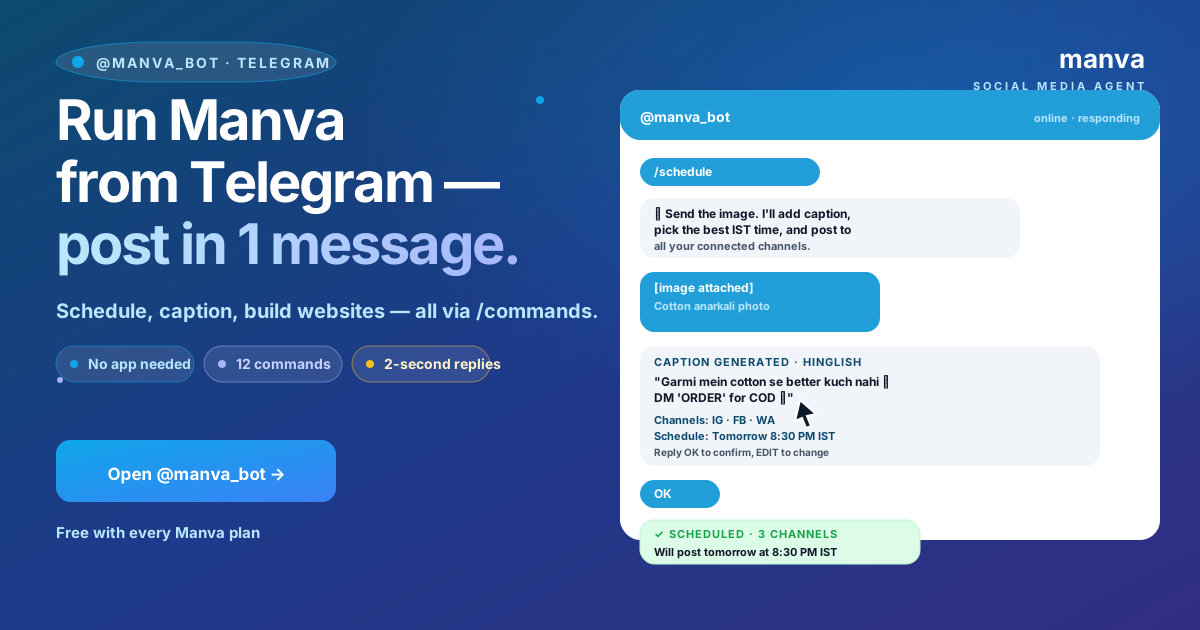
Most Manva users live on their phones, not at a desk. The Telegram bot is the fastest way to post, schedule and even build a website without opening the full dashboard — a few text commands and you are done. This guide is the complete bot walkthrough.
Why Telegram
Telegram is fast, reliable, free, and most Indian small business owners already have it installed. Compared to a mobile app, the bot has zero install overhead, works on any phone, and stays out of your way until you message it.
Step 1: Connect the bot to your Manva account
- Open Telegram on your phone
- Search for the official Manva bot by username (shown in your dashboard under Settings → Connections → Telegram)
- Open the chat and tap Start
- The bot replies with a one-time link code — copy it
- Paste the code into the dashboard's Telegram connection screen
- Done — the bot is now linked to your account
The link is per-account. If multiple team members want to use the bot, each one connects their own Telegram with the same workflow.
Daily-use commands
Once connected, message the bot directly. Common commands:
| Command | What it does |
|---|---|
| /post | Start a new post composer in chat — bot asks for image, caption, channels, time |
| /caption | Generate a caption for an image you send. Reply with the image, get back 3 variations |
| /schedule | Show your upcoming scheduled posts |
| /today | Today's metrics: new orders, post engagement, scheduled posts |
| /status | Status of your last scheduled post (delivered? failed? engagement so far?) |
| /help | Full command reference |
Each command opens a guided conversation — you do not need to remember syntax.
Posting from a chat
The most common workflow:
- Take a product photo on your phone
- Send it to the bot
- Bot replies "Looks good. Caption?" with three AI-generated options based on the image and your Brand DNA
- Tap one to use it, or type your own
- Bot asks "Channels and time?" — tap the buttons (Instagram + Facebook, post at 7pm tonight)
- Done — the post is scheduled
The whole thing takes 30 seconds.
/publish — build a website from chat
Manva's Telegram bot includes the /publish command — start a website build from inside the chat. Useful when you have an idea and want to capture it before you forget.
- Type /publish followed by what you want to build, e.g. "/publish a single-page website for my mobile-repair shop in Karimnagar"
- The bot asks the same brand questions the website builder asks (business name, category, contact info, colours)
- Generation runs in the background — bot pings you when the site is ready
- The bot replies with the live URL
For full website-builder packs (Pulse, Beat), use the dashboard — the chat flow is for quick single-page sites.
Group chats
You can add the bot to a Telegram group chat with your team. In a group, the bot only responds when explicitly mentioned (@manva_bot ...). Useful patterns:
- A team chat where members can request post drafts: "@manva_bot caption for this image" and the bot replies with options
- A founder + assistant chat for quickly clearing scheduling questions
- A team chat for daily metric snapshots — set up /today to run automatically every morning
Notifications
By default the bot pings you for:
- Successful publishes
- Failed publishes (with the reason)
- New WhatsApp leads
- New website orders
- Daily summary at 9am IST
Turn off any of these under Settings → Notifications → Telegram if they are too noisy.
Privacy and access
A few things worth knowing:
- The bot can only act on the Manva account you linked. It cannot see your Telegram contacts, other chats, or anything outside the Manva chat.
- Disconnecting the bot from your Manva dashboard severs all access immediately.
- Messages you send to the bot are processed only to fulfil your request — they are not used for anything else.
Common issues and fixes
"Bot not responding" — Telegram occasionally has delivery hiccups. Wait 30 seconds and retry. If still no response, /restart in the chat.
"Connection expired" — Long-idle accounts (no Manva login for 90+ days) need re-linking. The dashboard prompts you when this happens.
"This action requires the dashboard" — Some workflows (e.g. setting up payment integrations, editing a published website page) are dashboard-only because they need a full UI. The bot redirects you to the right page.
Frequently asked questions
Can I use the bot without a paid plan? Yes — the bot works on any Manva plan including free. Some features (like /publish for full packs) require the corresponding paid feature.
Can I use it for WhatsApp posting too? WhatsApp business messaging is not supported via the bot — it has to go through the WhatsApp Business API for compliance reasons. The bot is for Instagram, Facebook, X, LinkedIn and YouTube.
Can I attach a video? Yes, for Reels and Stories. The bot accepts videos up to Telegram's standard size limit.
The Telegram bot is for the moments when you want to post something fast and you do not want to open your laptop. It is not a replacement for the dashboard — it is the lightweight surface for the 80% of tasks you do daily.